This toolbar appears below an image in the Display Pane. It enables you to navigate through and process scanned images.
| Item | Function |
|---|---|
|
Displays a document's first page. |
|
Displays a document's previous page. |
|
Displays a specific page in a document. |
|
Displays a document's next page. |
|
Shows the first page in the Revision Tree's previous document. |
|
Shows the first page in the Revision Tree's next document. |
|
Displays a document's last page. |
|
Pulls a single page out of a document and moves it to a new, separate document. |
|
Pulls one or more pages out of a document and moves them to a new, separate document. |
|
|
|
Deletes the currently displayed page. |
|
Displays the previous document in the Revision Tree with an error. Hover over the field's icon for more information. |
|
Displays the next document in the Revision Tree with an error. |
|
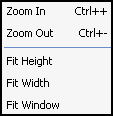
Enables you to configure the Display Pane's display mode. |
Tip: There are
additional display options under View, Image Scale in the menu bar.